
Download KL Detector – Keylogger Detector, Security Tool, System Scanner, Spyware Removal, Privacy Protection
Overview
KL Detector is a specialized security tool designed to help users identify potential keylogger threats on their computing systems. Its primary purpose is to scan computers for malicious software that records keystrokes, which can compromise sensitive data such as passwords, credit card numbers, and personal messages. The application targets individuals concerned about digital privacy and security, especially those who frequently use shared or public computers. Given its focus on detecting stealthy threats, KL Detector serves as a valuable utility for both casual users and professionals who handle confidential information.
Developed by Jason K. Menard, the app has been available since 2010, indicating a long-standing presence in the cybersecurity space. Although the developer did not provide additional technical details about the scanning methodology or detection algorithms, the app’s consistent availability suggests a stable and functional core. Real-world use cases include checking workstations in libraries, internet cafes, or shared office environments where unauthorized surveillance is a concern. In the broader app ecosystem, KL Detector fills a niche role as a lightweight, portable, and free solution for proactive threat detection, offering users a sense of control over their digital footprint.
Key Features & Functionality
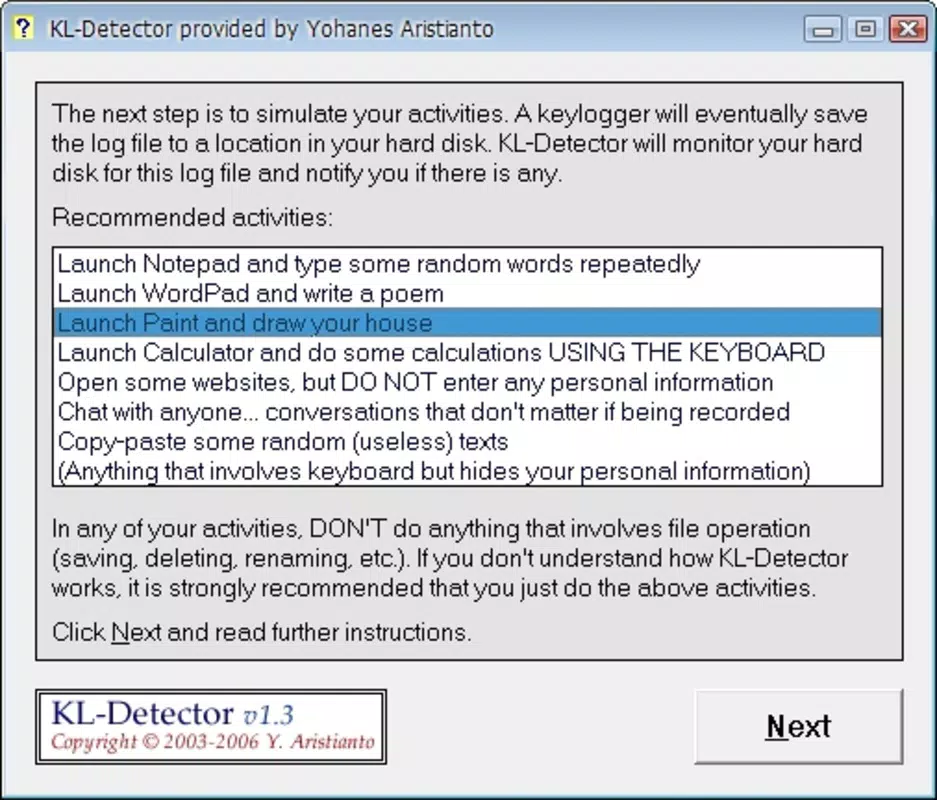
- User-Friendly Interface: KL Detector features a straightforward design that requires no technical expertise to operate. Users can initiate a scan immediately upon launching the application, with no complex setup or configuration needed. This simplicity makes it accessible to individuals with limited experience in cybersecurity tools.
- Fast Scanning Process: The application performs rapid system scans, delivering results within minutes. This efficiency allows users to quickly assess their system’s security status without significant downtime, which is especially beneficial in time-sensitive scenarios such as preparing to enter sensitive data.
- Portable Usage: One of the app’s standout features is its ability to run directly from a USB flash drive. This design eliminates the need for installation, enabling users to scan multiple devices across different environments without leaving traces on the host system.
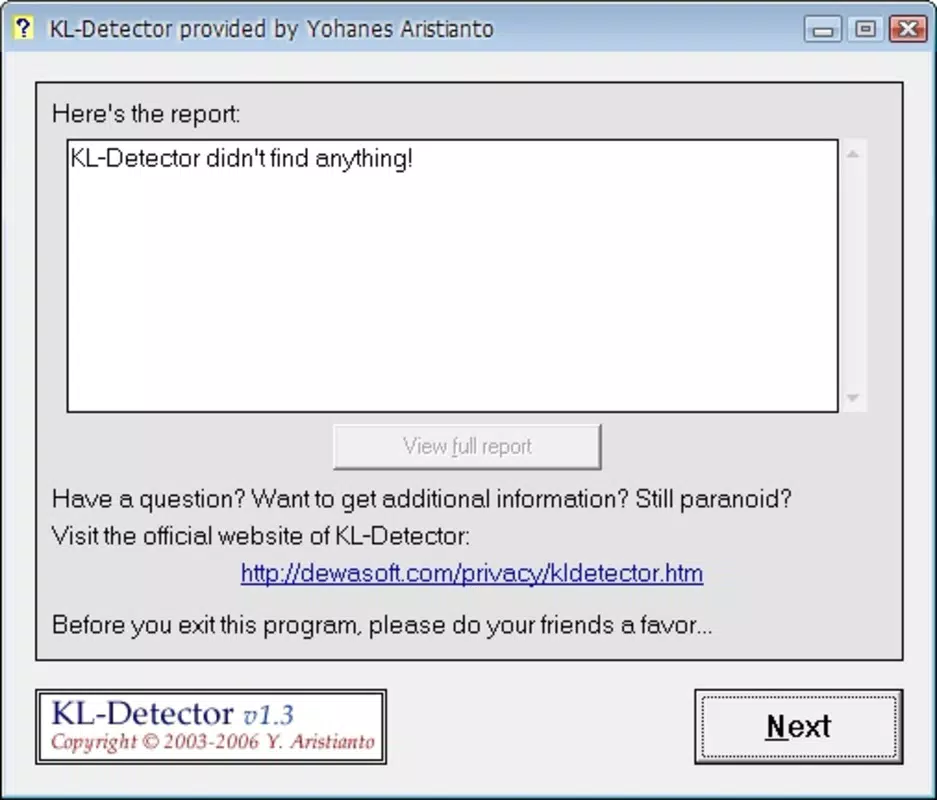
- Informed Decision-Making: After scanning, KL Detector generates a detailed report outlining any detected keyloggers. This report empowers users to evaluate risks and decide whether to remove the threats manually or take further action.
- Reliable Security Assurance: By providing a consistent method to detect hidden keyloggers, the app supports a proactive approach to privacy protection. Regular use helps users maintain awareness of potential threats and reinforces good digital hygiene habits.
Interface, UX & Performance
The user interface of KL Detector is designed with simplicity in mind, focusing on essential functions without clutter. Navigation is linear and intuitive, allowing users to start a scan and review results with minimal effort. The visual style appears minimalistic, prioritizing functionality over aesthetic complexity. This approach ensures that users can focus on the core task—detecting threats—without distraction.
Although the developer did not list formal performance metrics, the app’s lightweight nature—only 1.5 MB in size—suggests efficient resource usage. It is expected to run smoothly on a wide range of Windows systems, including older hardware. Responsiveness during scanning and report generation appears consistent based on user feedback, though specific performance data was not disclosed. Stability is likely maintained due to the app’s long-standing presence and minimal feature set. The absence of background processes or installation requirements further contributes to a clean and reliable user experience across different device categories.
Platform Compatibility & Technical Requirements
KL Detector is designed for the Windows platform and operates on Windows operating systems. The current version is 1.0.0, with a file size of 1.5 MB. The developer did not specify minimum OS requirements, nor did they list compatibility with specific Windows versions such as Windows 7, 8, or 10. As a result, users should verify functionality on their specific system configuration. The app is distributed as a standalone executable, meaning it can be run directly without installation, which enhances accessibility across various Windows environments.
Pros and Cons
Pros
- Free to download and use with no hidden costs.
- Lightweight design with minimal system resource usage.
- Portable functionality allows use from a USB drive on any computer.
- Simple interface suitable for users of all technical skill levels.
- Fast scanning process delivers results in a short time frame.
Cons
- Developer did not provide detailed technical specifications or detection methodology.
- Compatibility with specific Windows versions was not listed.
- No automatic update mechanism was mentioned.
- Latest version information is limited to version 1.0.0 with no indication of recent improvements.
- Support for modern security threats beyond keyloggers is not confirmed.
FAQ
Is KL Detector safe to use on my computer?
Yes, KL Detector is designed as a security tool to detect threats, not to introduce them. It does not install any components on your system and runs as a standalone executable, minimizing potential risks.
Can I use KL Detector on multiple computers?
Yes, due to its portable nature, you can use KL Detector on any Windows computer by running it directly from a USB drive without installation.
Does KL Detector require an internet connection?
The developer did not specify whether an internet connection is required. Based on its design as a local scanner, it is likely that the app operates offline, but this was not confirmed.
How often should I run a scan with KL Detector?
It is recommended to run a scan before accessing sensitive information, especially when using public or shared computers. Regular checks can help maintain ongoing system security.
Is KL Detector updated regularly?
Version 1.0.0 was released in 2010, and no recent updates have been documented. Users should exercise caution and verify the app’s current functionality on their systems.
Final Thoughts
KL Detector remains a practical and accessible tool for users seeking to protect their digital privacy from keylogger threats. Its lightweight, portable design and free availability make it a compelling option for individuals who value security without complexity. While the app lacks modern features like automatic updates or detailed technical documentation, its core functionality continues to serve a meaningful purpose in the realm of personal cybersecurity.
It is especially beneficial for users who frequently access shared or public computers, as well as those who prioritize a no-frills approach to system scanning. For its intended use case, KL Detector delivers reliable performance and straightforward results. Despite its age, it remains a functional utility for basic threat detection.
Download KL Detector now to take a proactive step in safeguarding your keystrokes and sensitive data.


